
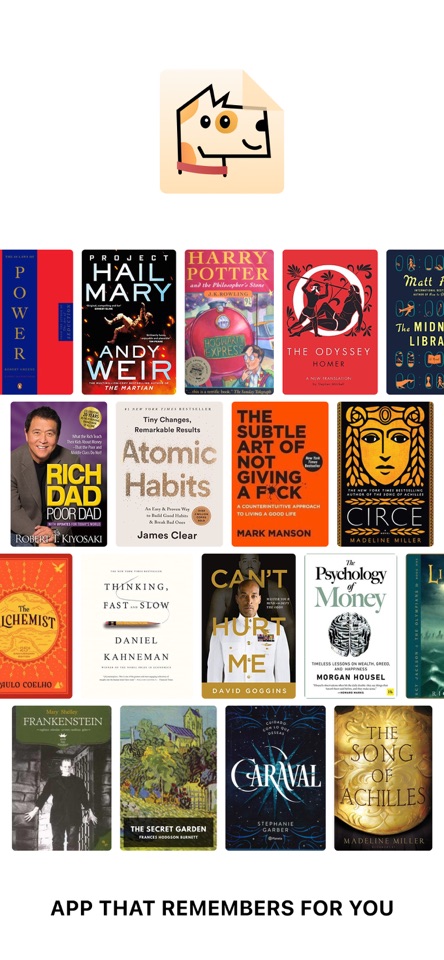




A personal shelf for books you care about. Save quotes, highlights and bookmarked pages, and see them in widgets.
Dogear is your personal virtual library.
Save the books you care about to a bookshelf on your iPhone. Keep the quotes, highlights, and bookmarked pages that actually stick. Then see them again when you open your shelf, or on the Home Screen with widgets.
Most reading apps try to replace the book. Dogear keeps the titles you mean to return to, and the lines you do not want to lose.
BUILD YOUR SHELF Add a book the moment you find it, before the thought walks off.
• Search by title or author • Point the camera at a barcode • Import several titles from a CSV file on your device, including Goodreads-style exports with Title, Author, and ISBN columns
Each saved book lives on your bookshelf with its cover and details. Open it later and everything you attached to it is still there.
SAVE WHAT MATTERS From any saved book you can:
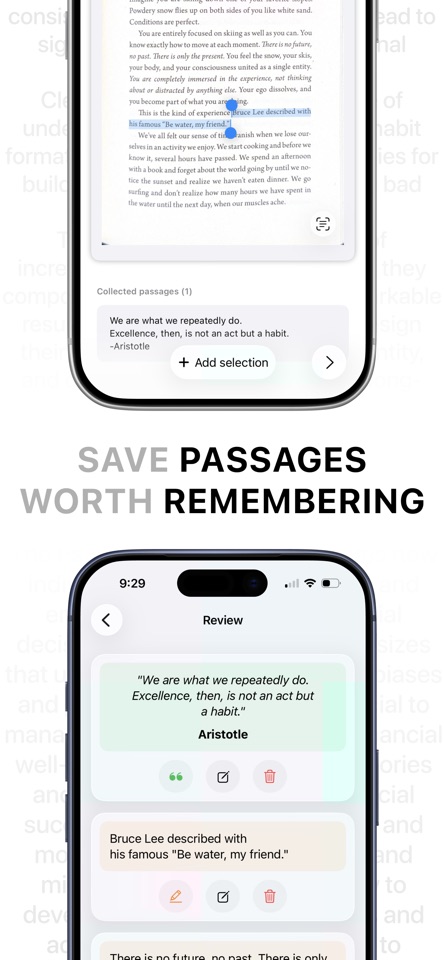
• Snap a page with the camera and mark the lines you want to keep • Pick a photo of a page from your library • Type a quote or highlight yourself • Bookmark a page so you can find your place again
Quotes, highlights, and bookmarked pages stay with that specific book, on your iPhone, not scattered across Notes, screenshots, and camera roll.
SEE IT AGAIN Saving only helps if the line comes back when you need it.
On the bookshelf, flip through your titles and read a saved passage with the book still in front of you. You can show a saved line under the focused book on the home shelf.
On the Home Screen, widgets keep the habit going: • Add Book: jump straight into adding a title • Add Passage: open a book and save another line • Random Passage: resurface a quote or highlight you already saved
Widgets run on your device. There is no Dogear account or cloud library.
A QUIET PLACE FOR YOUR LIBRARY Dogear is a personal shelf, not a social feed. No accounts, no followers, no public reviews. Search, scan, save, and leave.
The free version includes search and barcode scanning, a small bookshelf (up to 2 books shown), and up to 20 quotes and highlights shown per book. Add passages with the camera, from Photos, or with the keyboard.
PRIVACY AND CONTROL Saved books, page images, quotes, highlights, and bookmarks live on your device. The camera scans barcodes and captures pages. Page photos are not uploaded to us. Search queries and ISBNs go to book catalogs so we can look up titles. Optional analytics may include a book title or author. Purchases go through Apple. Full details are in the Privacy Policy.
You can pick an in-app language (English, Spanish, Brazilian Portuguese, French, German) and more readable fonts.
Dogear requires iOS 26 and an iPhone.
Privacy Policy: https://medium.com/@amol.kmr05/book-bytes-privacy-policy-697b72a0241d Terms of Use: https://medium.com/@amol.kmr05/book-bytes-terms-of-use-a66e37ac0366 Support: support@amolkmr.com
- Updated
- Listed here
- App Store ID
Built this? Put a badge on your site
<a href="https://indie-apps.com/apps/dogear-digital-book-library-065229"><img src="https://indie-apps.com/badge/dogear-digital-book-library-065229" alt="Listed on Indie Apps" width="150" height="56"></a>

