

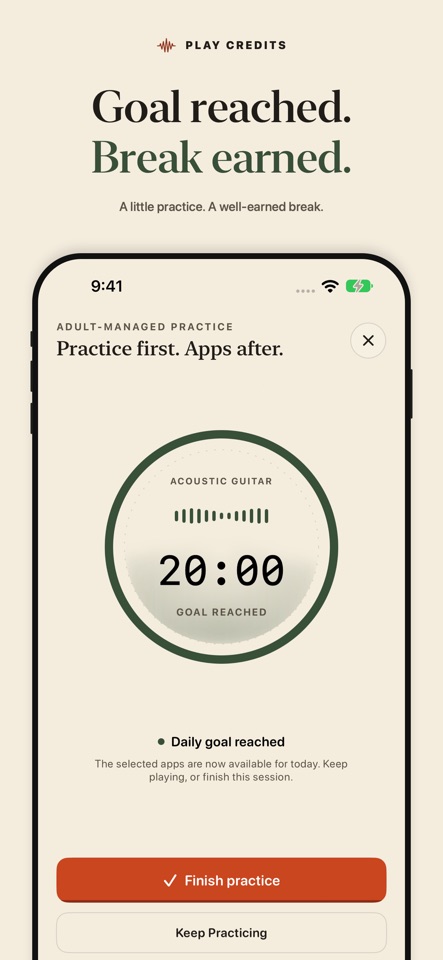


Practice first. Apps after.
Play Credits helps you make room for music before screen time. Choose a practice plan, select apps to put on hold, and work toward a daily goal or earned minutes of app access.
Try all features free for seven days. Then choose a US$4.99 one-time full unlock to keep going. Nothing is charged automatically.
MAKE A PLAN THAT FITS Use Daily Unlock to work toward your practice goal and make selected apps available for the rest of the day. Or choose timed access to turn counted practice into minutes of app time. Set practice days and choose when scheduled locking begins.
PRACTICE WITH LIVE FEEDBACK Choose your instrument and start a listening session. Watch the live visualizer and see counted practice time as you play. On-device audio analysis estimates practice activity; it is not a lesson, performance assessment, or guarantee of perfect recognition.
CHOOSE WHO MANAGES THE PLAN Personal Mode lets you manage your own routine. Adult-Managed Mode lets an adult set the plan and protect changes with an Adult PIN and recovery code on the learner's device. It is not a remote parent dashboard.
SEE YOUR PROGRESS Review practice history and instrument totals. Optional iCloud Sync keeps supported plans, settings, and progress aligned on devices using the same Apple Account. Screen Time approval, blocked-app choices, protection level, and Adult credentials remain device-specific.
KEEP PRACTICE AUDIO PRIVATE Practice audio is analyzed on your device. Play Credits does not save or upload audio recordings. No Play Credits account is required.
SEVEN DAYS FREE. ONE PAYMENT TO KEEP GOING. The free trial begins when you obtain the 7-day Trial through Apple's purchase sheet, not when you download the app. After seven days, choose the optional US$4.99 permanent full unlock. It is a separate purchase, not a subscription, and the trial does not charge you automatically. Full Unlock supports Family Sharing when purchase sharing is enabled.
Without an unlock or another valid entitlement, practice and earned app access pause when the trial ends, and Play Credits releases its app restrictions. Your history, unused earned time and settings stay on your device. Restoring the trial does not restart its seven-day period. Existing subscriptions remain supported and can still be managed or canceled through Apple.
SETUP REQUIREMENTS App blocking requires Screen Time permission and completed setup on each device. Personal Mode also requires an iPhone or iPad unlock passcode; Face ID is optional. For setup instructions, visit https://steadywonderstudio.com/playcredits/support#screen-time-setup.
Protection depends on the selected protection level and Apple's device and Family Sharing requirements; it is not a guarantee against bypassing restrictions.
Privacy Policy: https://steadywonderstudio.com/playcredits/privacy Terms of Use: https://www.apple.com/legal/internet-services/itunes/dev/stdeula/ Support: https://steadywonderstudio.com/playcredits/support
- Updated
- Listed here
- App Store ID
Built this? Put a badge on your site
<a href="https://indie-apps.com/apps/play-credits-827918"><img src="https://indie-apps.com/badge/play-credits-827918" alt="Listed on Indie Apps" width="150" height="56"></a>

